
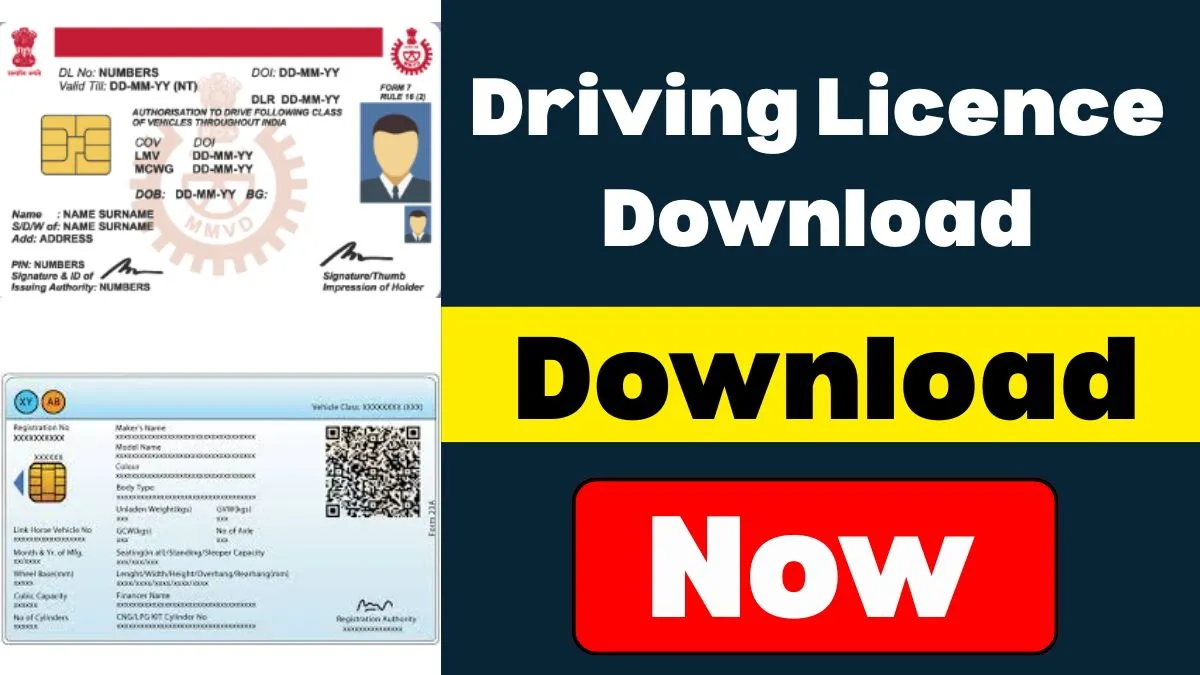
You Are Searching For Download Driving Licence PDF instantly and legally? With the Parivahan Sewa and Sarathi portal, obtaining a digital version of your Smart DL is no more a difficult task. Be it that you applied online a few days ago or need a duplicate copy, you can simply check your driving licence status, Download Driving Licence PDF, and print it for formal purpose—all from your mobile or desktop device.
To Download Driving Licence & digital smart driving license online, all you need to do is log in to the official Sarathi Parivahan portal, provide your DL number, date of birth, and authenticate through OTP received on your mobile number. From here, you can see, authenticate, and download the digital licence PDF. This is applicable for the majority of Indian states and is an acceptable legal digital copy under DigiLocker or mParivahan.
Feel like applying for a New Driving Licence online or verifying your ongoing application? The Sarathi portal also allows users to submit new applications, reissue requests, or status inquiries without any hassle. Whether you are requesting a new DL, verifying the status of your licence, or re-downloading your Smart DL, the whole process is online, fast, and mobile-centric.
Obtaining a driving licence Download in India is a vital step towards lawful and secure driving. The Government of India, through its flagship portal Parivahan Sewa, has simplified the process to download driving licence online. Whether you’re applying for a learner’s licence, checking the status of your permanent licence, or downloading a soft copy for digital usage, this comprehensive guide provides step-by-step instructions For Download Driving Licence.
What is Parivahan Sewa?
Parivahan Sewa is the official digital platform provided by the Ministry of Road Transport and Highways (MoRTH), Government of India. This portal facilitates a wide range of transport-related services, including:
- Driving Licence Application and Renewal
- Driving Licence Download
- Vehicle Registration
- Road Tax Payment
- Challan Payments and Status Check
Why Download a Digital Driving Licence?
There are several compelling reasons to download your digital driving licence via Parivahan.gov.in:
Legally Valid: The digital version is legally acceptable under the Motor Vehicles Act.
Convenience: No requirement to keep a physical copy on hand at all times.
Instant Access: Access at any time through DigiLocker or mParivahan App.
Secure and Tamper-Proof: The downloaded version is digitally signed and saved securely.
Eligibility to Download Driving Licence
Before you go ahead and download your licence, check if you meet these criteria:
- You have successfully passed the driving test at the RTO.
- Your driving licence has been sanctioned and released by the Regional Transport Office (RTO).
- The licence information is updated in the Sarathi database (the backend of Parivahan portal).
Process to Download Driving Licence from Parivahan.gov.in
Read these step-by-step instructions to download your driving licence PDF:
Step 1: Visit the Parivahan Sewa Website
Approach the official website: https://parivahan.gov.in
Step 2: Reach ‘Driving Licence Services
Click on “Online Services” and choose “Driving Licence Related Services“ from the dropdown.
Step 3: Select Your State
You will be taken to the Sarathi portal. Choose your respective state/UT.
Step 4: Choose ‘Print Driving Licence’ or ‘Download Licence’
Under the DL Services, search for the “Print Driving Licence“ or “Download Licence“ option.
Step 5: Fill in Required Details
You will be asked to input:
- Application Number
- Date of Birth
- Captcha Verification
Step 6: Click ‘Submit’
After submitting, your driving licence preview will be displayed.
Step 7: Download the Licence
Press the download button to save your PDF copy of the driving licence.
Alternate Method: Download Driving Licence Using DigiLocker
You may also view your driving licence through DigiLocker, which is a Digital India initiative.
Steps to Use DigiLocker:
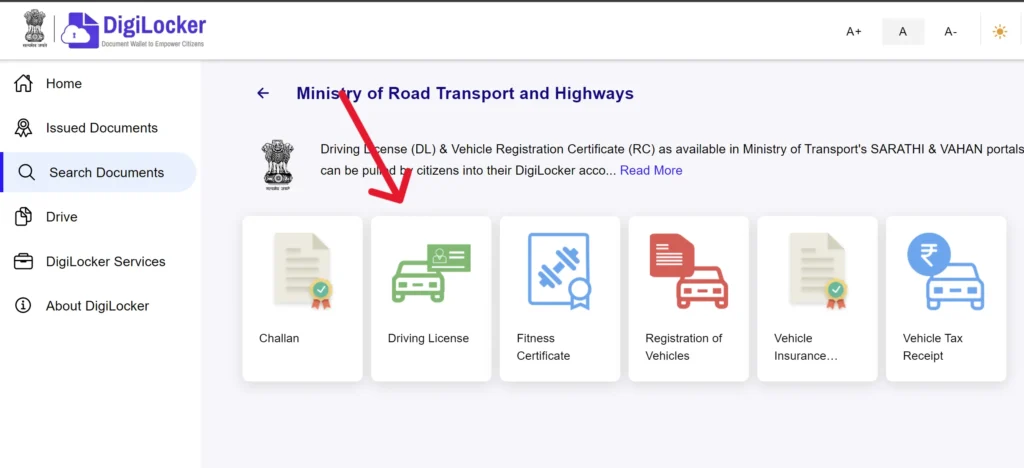
- Download the DigiLocker App through Play Store or App Store.
- Register with your Aadhaar number and confirm through OTP.
- Go to “Issued Documents”.
- Choose Ministry of Road Transport and Highways.
- Select Driving Licence, enter your DL number.
- Your authenticated digital driving licence will be ready to download.
Download Driving Licence for mParivahan Mobile App
The mParivahan application also facilitates digital access to DL and RC (Registration Certificate):
- Download and install the app.
- Launch and register with your mobile number.
- Click on ‘My DL’, enter your DL number.
- See and save your digital driving licence.
What to Do If You Can’t Download Your Licence
In case you face trouble while downloading your driving licence, try the following solutions:
Check Licence Status: Go to Sarathi Parivahan Status Page and check your application.
Wait for Approval: It can take a few days after driving test for your DL to get processed.
Contact Your RTO: In case your data is not visible online, reach out to the issuing authority.
Update Mobile Number: Ensure your updated mobile number is associated with your DL record.
Important Instructions to Applicants
Always preserve your Application Number securely until licence release.
Monitor the status of your DL application from time to time to understand when it’s available for download.
Use DigiLocker or mParivahan for verified and official digital DL.
In the event of errors (such as incorrect name or address), initiate a correction request at the RTO or through the online platform.
How to Check Driving Licence Authenticity
Prevent misuse or forgery by verifying your DL:
- Visit Sarathi Parivahan website.
- Click on “DL Search” from the “DL Services” option.
- Enter your DL number and date of birth.
- The system will show authenticity status and DL holder information.
Frequently Asked Questions
Is the downloaded license acceptable for traffic police verification?
Yes. According to the IT Act and Motor Vehicles Act, a digital driving license on DigiLocker or mParivahan is as valid as a paper copy.
Can I renew an expired driving license using Parivahan?
Yes, the Parivahan website enables you to renew lapsed licenses and download the renewed copy.
What happens if my driving license is damaged or lost?
You can request a duplicate driving license online and then download the duplicated copy through the same procedure.
Final Thoughts
The digital thrust of the Government has transformed the way Indian citizens engage with transport services. Through making it possible to access download driving licences online via Parivahan.gov.in, DigiLocker, and mParivahan, the process is speedier, more secure, and more convenient than ever before.
Make sure you complete the right steps, verify your information, and have a digital copy ready at all times for hassle-free driving experiences and obedience to law enforcement.